Your team’s 2027 vacation plans, in one spreadsheet.
A free team vacation planner for Excel, with Google Sheets import instructions. See who is away, spot overlapping holidays, and keep full and half-days in one place.
Excel .xlsx · No email, signup, or macros · Free to use and share
What’s inside the template?
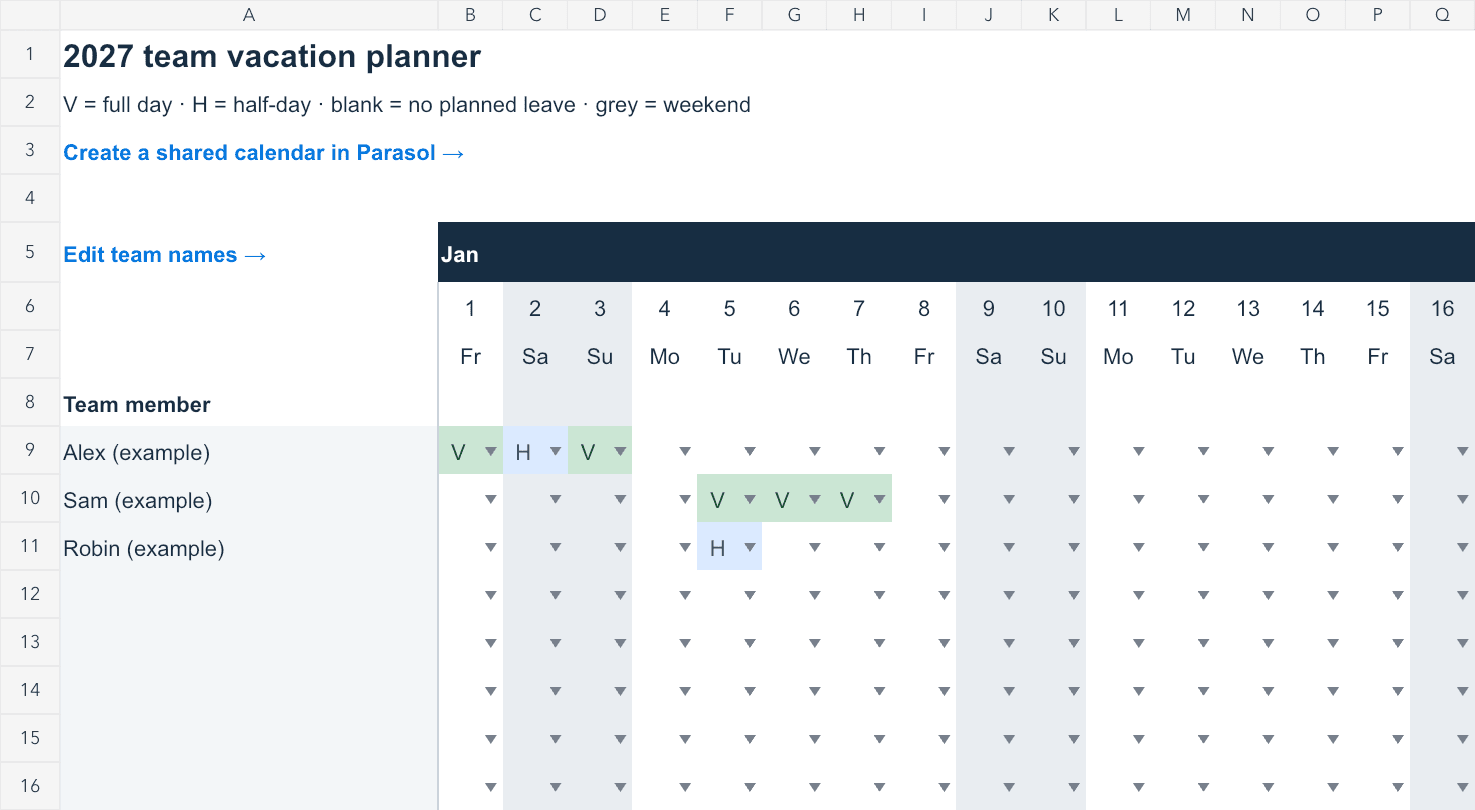
- A full January–December 2027 calendar with space for 20 teammates.
- A Team tab for names and automatic full-day, half-day, and total days-away counts.
- Simple V and H leave codes, weekend shading, and a daily count of people away.
- Frozen names and dates, plus shortcuts to each month.
Use it in Excel
- Download and open the workbook, then save your team’s copy.
- Enter names in the yellow cells on the Team tab.
- On the 2027 calendar tab, enter V for a full day away or H for a half-day.
- Check the totals and overlapping dates together. Clear a cell when plans change.
Use it in Google Sheets
Download the same .xlsx file. In a blank Google spreadsheet, choose File → Import → Upload, select the workbook, and create a new spreadsheet. Then share that spreadsheet with your team. There is no separate account or email gate on Parasol.
See Google’s Excel import instructions for the available import options. Check the layout and totals after importing.
How are days counted?
Prefer a calendar your team can update together?
Parasol gives your team a shared calendar through one link, without individual accounts. It is free for up to 50 people per board and includes public holidays for the countries your team chooses. Add your dates in Parasol when you are ready; spreadsheet import is not currently available.
Or read our team vacation calendar guide for a simple planning routine.